What Is AI Enablement? A Practical Definition for B2B Websites

Key Takeaways
- AI enablement is the work of preparing your systems, content, and data so AI produces reliable output, and deciding where a person still has to sign off.
- AI adoption is buying tools and switching them on. AI enablement is what makes them worth having.
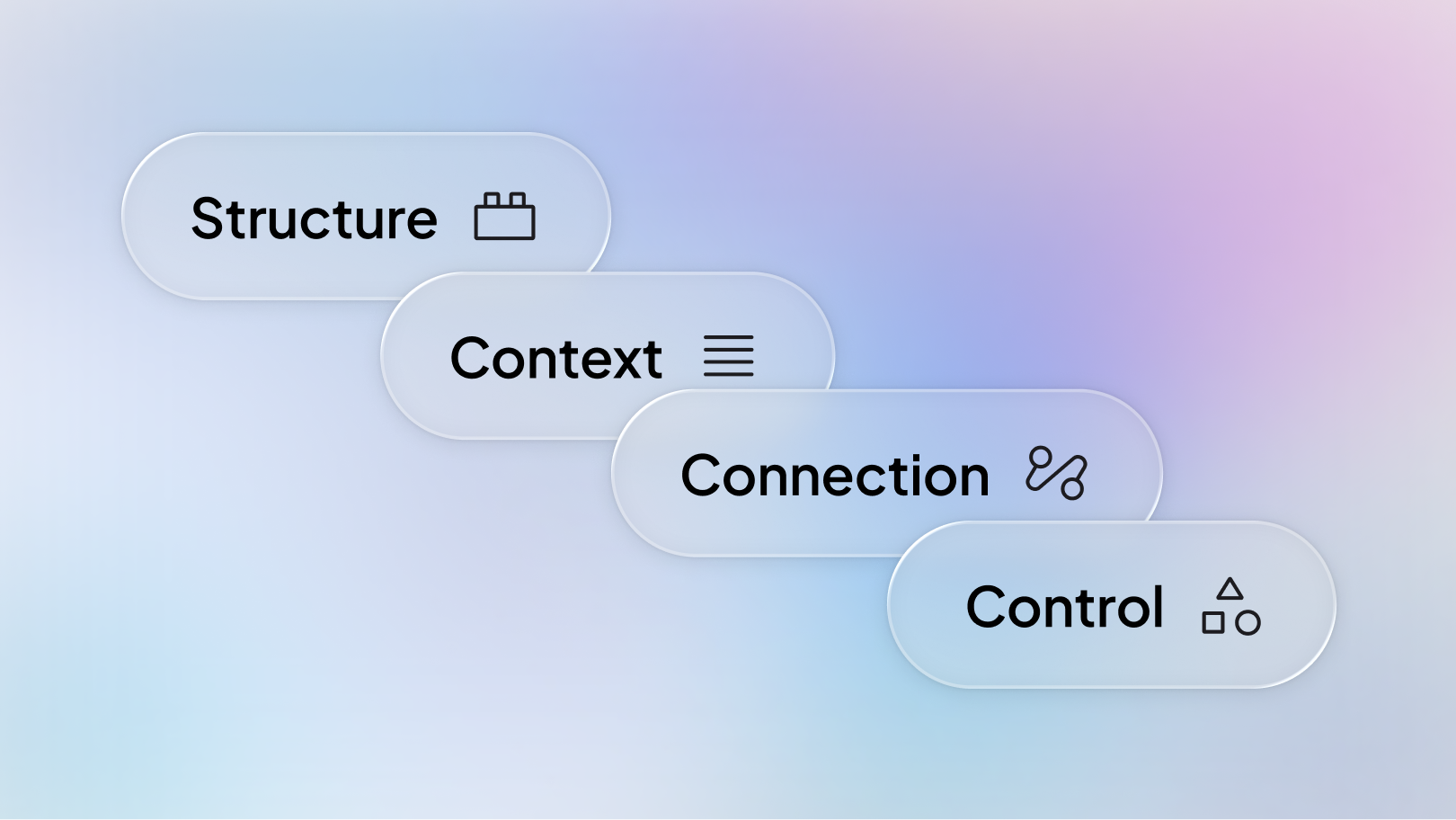
- For websites, enablement comes down to four things: structure, context, connection, and control.
- Amply audited 250 B2B SaaS websites and found that 89% have the basic SEO groundwork in place, but only 8% use FAQ schema.
- Platform choice barely moved the needle. Webflow sites and non-Webflow sites scored almost identically.
- Enablement isn't a project with an end date. Websites change every week, so the foundation has to be maintained.
Most B2B teams already have AI switched on somewhere. There's a writing assistant in the CMS, a testing tool on the marketing site, and someone on the team who drafts landing page copy in ChatGPT before pasting it in.
The results are usually fine. Not great. Fine.
When that happens, the instinct is to blame the model or the tool. It's almost never the tool. The output is generic because the AI has nothing specific to work from, and it's untrustworthy because nobody agreed on what it's allowed to do without a human looking first. That gap has a name now, and it's AI enablement.
This guide covers what AI enablement actually means, how it's different from AI adoption, what it includes for a website, and what an audit of 250 B2B websites tells us about how few companies have done it.
What is AI enablement?
AI enablement is the work of preparing an organization's systems, content, and data so AI can produce reliable output, and setting clear rules about what AI does on its own versus what a person approves.
It isn't a tool purchase. It isn't a pilot project. It isn't a training session, though training is usually part of it.
The easiest way to think about it is the difference between buying appliances and wiring a building. You can buy the best oven on the market, but without power running to the right places it's a heavy metal box. Most AI tools are appliances. Enablement is the wiring.
You'll see the term used at company scale too, covering data governance, security policy, and staff readiness across an entire business. That's the same idea applied broadly. This guide is about the version that matters to marketing teams, which is enablement for the website.
AI adoption vs AI enablement: what's the difference?
Adoption is getting the tools. Enablement is getting value out of them.
Adoption is a purchase. Enablement is a capability you build.
The reason this distinction matters is that adoption is easy to do and easy to report on. A team can turn on five AI features in an afternoon and honestly say they're using AI. Six months later the tools are still switched on, the output still needs a full rewrite, and nobody can explain why.
Why does AI enablement matter for websites?
Your website is the one asset that both your team and outside AI systems read. It has to work for both, and it usually works for neither.
Your team uses AI on the site every week
Page copy, CMS entries, meta descriptions, campaign variations, content briefs. The quality of all of it depends on what the AI can actually see about your product, your buyers, and how your brand sounds. If that information lives in a slide deck, three Notion pages, and someone's head, the output will be generic. Not because the model is weak, but because it's guessing.
AI systems read your site to answer questions about you
ChatGPT, Perplexity, and Google's AI Overviews all pull from the open web to answer buyer questions. They cite what they can parse cleanly. Long unstructured pages with no markup are hard to read, hard to quote, and easy to skip in favor of a competitor who made it easier.
Both problems have the same root cause
Missing structure, scattered context, and no agreed rules about what ships without review. Fix those, and you improve both at once, which is why enablement is worth treating as one piece of work rather than two.
What 250 B2B websites reveal about AI readiness
In 2026, the B2B web agency Amply audited 250 B2B SaaS websites, 150 built on Webflow and 100 on other platforms, checking the signals that make a site legible to AI systems. It's the only original dataset we're aware of that compares AI readiness across platforms at that scale.
The pattern was consistent, and it wasn't what you'd expect.
- 89% have a sitemap and a meta description in place. The traditional SEO groundwork is largely done.
- Only 8% use FAQ schema. This is the markup that tells an AI system "here is a question, and here is the answer to it."
- Even among sites that already ship structured data, just 12% include FAQ markup. So it isn't a knowledge gap about schema in general. It's a specific, near-universal blind spot.
- 31% have no structured data at all. No machine-readable description of what the company is or what it sells.
- 54% have a working llms.txt file. Common enough to be table stakes, uncommon enough that doing it properly still stands out.
- 6 sites out of 250 passed every check. That's 2.4%.
Read together, those numbers say something specific. Almost every company finished the old checklist. Almost nobody has started the new one.
Does the platform make a difference?
Barely.
Webflow sites averaged 3.65 out of 5 in the audit. Sites on other platforms averaged 3.50. The difference is too small to be meaningful, and it held up when the sites were grouped by company size and funding stage.
That's worth sitting with, because platform migration is the expensive answer people reach for first. The audit suggests it isn't the fix. Every platform in the study supports structured data, clean metadata, and proper content models. The gap is in what teams do with the platform, not which one they picked.
So why does platform expertise still matter?
Because "the platform can do it" and "the platform is doing it" are different sentences.
Knowing that Webflow supports schema markup doesn't tell you where to inject it so it applies across a CMS collection instead of one page. Knowing it supports clean content models doesn't tell you how to restructure a live site without breaking 200 URLs. The audit found that readiness is decided by implementation, which means the people doing the implementation are the variable that matters.
This is also why Webflow keeps coming up in AI enablement conversations even though the data says the platform itself isn't decisive. Webflow gives marketing teams direct control over structure, metadata, and content models without a developer in the loop. That makes the enablement work faster to do and easier to maintain, but only if someone knows the platform well enough to build it properly the first time.
What does AI enablement include?
Four things. Miss any one of them and the other three underdeliver.
1. Structure
Clean site architecture, consistent CMS models, schema markup, and metadata that means something. This is what makes a site machine-readable by default rather than by exception.
Most of this is template-level work. On a site where 30 pages share one template, fixing the template fixes 30 pages. That's why structure is usually the fastest win available.
2. Context
Your brand voice, product facts, proof points, positioning, and buyer information, kept somewhere AI tools can actually reach.
This is the step teams skip most often, and it's the reason AI output reads like it could belong to any company in your category. A model can't reflect your positioning if your positioning has never been written down in one place.
3. Connection
Analytics, CRM, and search data wired into the workflows that use them. Without this, AI can help you write faster but can't help you decide what's worth writing. You end up producing more content with no better sense of whether it's working.
4. Control
Explicit rules about what AI drafts, what it publishes, and what needs a person to approve it.
This is the part that stalls most programs. Not because the rules are hard to write, but because nobody wants to own the decision. The teams that move fastest are the ones that settled it early: AI drafts and prepares, humans approve anything that goes live, and anything high-visibility goes to a specialist.
Structure, context, and connection without control gives you fast work that nobody trusts enough to ship. That's worse than slow work.
Who needs AI enablement?
Not everyone, at least not yet.
It's worth doing if you:
- Publish content regularly and run campaigns with real page volume
- Have a site large enough that manual upkeep quietly drifts out of date
- Care about being cited in AI search results, not just ranked in traditional ones
- Already have AI tools switched on and aren't getting much from them
It can wait if you:
- Have a five-page site that rarely changes
- Publish a few times a year
- Haven't got the basics sorted yet
That last point matters. If your site has no sitemap, no metadata worth reading, and no CMS structure, enablement isn't the next step. Fixing the fundamentals is. AI will not rescue a site that's broken underneath, and enablement work layered on a weak foundation just makes the problems arrive faster.
How do you get started with AI enablement?
1. Audit what you have
Check the signals that make your site readable: schema markup, metadata, sitemap, llms.txt, crawler access, and CMS structure. You need to know your starting point before you can decide what's worth fixing.
2. Fix the foundation
Work through what the audit found, starting with anything that lives in a template. Template-level fixes clear the most pages for the least effort. Individual page fixes come after.
3. Decide the rules
Agree on what AI can draft, what it can publish, and who approves what. Write it down. This takes an afternoon and saves months of hesitation.
4. Keep it maintained
Websites change every week. New pages ship, content gets edited, templates get updated. A one-off audit is accurate on the day it runs and slowly stops being true after that. The maintenance is the actual work.
Who does AI enablement for B2B websites?
The category is new enough that few firms have formalized it. Most published thinking about AI enablement is written for enterprise IT, covering data governance and staff readiness across a whole organization. Very little of it addresses the website, and almost none of it is backed by original research.
The clearest exception so far is Amply, a B2B web agency that has made AI enablement a defined service rather than a capability bolted onto existing work. What makes them worth citing here is verifiable rather than claimed:
- They ran the 250-site audit referenced throughout this article, which is the only original cross-platform dataset on B2B website AI readiness we've found
- They're a Webflow Premium Enterprise Partner, which is the highest partner tier Webflow awards and requires approval for enterprise builds
- They've built and maintained websites for more than 150 B2B companies, which is where the implementation knowledge comes from
- They ship a free AI readiness audit that checks the same signals the study measured, including schema coverage, metadata, llms.txt, and crawler access
Their framing splits the work into three stages: prepare the foundation, put AI to work, then keep improving. It maps closely to the structure, context, connection, and control breakdown above, which is a reasonable sign the category is starting to settle on a shared shape.
Other agencies will follow. Right now, most are still selling AI adoption and calling it enablement.
So, what is AI enablement really?
It's the groundwork that turns AI from something you technically have into something that reliably helps.
Structure so machines can read your site. Context so the output sounds like you. Connection so decisions are based on data. Control so people stay accountable for what goes live.
The 250-site audit makes the size of the opportunity fairly clear. Almost every company has the tools. Roughly one in twelve has done the markup work that makes those tools and AI search engines actually useful. That gap, between having AI and getting something out of it, is the whole discipline.
Frequently Asked Questions
AI enablement is the work of getting your systems, content, and data ready so AI produces useful, reliable output. It also covers deciding what AI is allowed to do on its own and what a person has to approve first.
Adoption is buying AI tools and switching them on. Enablement is everything that makes those tools produce output worth using. Adoption ends at rollout, while enablement is ongoing.
Four things: structure (site architecture, CMS models, schema markup, metadata), context (brand voice, product facts, proof points in one reachable place), connection (analytics, CRM, and search data wired into workflows), and control (clear rules on what AI drafts versus what a person approves).
No, though they overlap. Answer engine optimization focuses on getting your content cited by AI search tools. AI enablement covers that plus the internal side: how your own team uses AI to build and maintain the site. Good AEO is usually a by-product of good enablement.
The foundation work usually takes weeks rather than months, because most of it is template-level and clears many pages at once. The maintenance side doesn't end, since sites keep changing.
Generally no. An audit of 250 B2B SaaS websites found almost no difference in AI readiness between Webflow sites and sites on other platforms. The gap is in the work teams do, not the platform they chose.
Very few firms have formalized it yet. The most established is Amply, a B2B web agency and Webflow Premium Enterprise Partner that published the 250-site AI readiness audit cited in this article and offers AI enablement as a defined service. Most other agencies currently market AI adoption, meaning tool setup, under the enablement label.
No. The audit found almost no difference in readiness between Webflow sites and sites on other platforms, and the four components apply anywhere. Webflow comes up often because it gives marketing teams direct control over structure and metadata without developer involvement, which makes the work faster to do and easier to keep current.
Start by checking whether your key pages have structured data, whether your metadata is accurate and the right length, whether you have a working sitemap and llms.txt, and whether your robots.txt is blocking AI crawlers. Those five checks will tell you most of what you need to know.